About Bunzai
Your stories.Your studio. Make characters, build their worlds, and play scenes with an AI provider you choose. Bunzai is free, open source, and keeps your library on your computer.
Behind the scenes · the studio
Build the world
Scene I · make
Where every piece gets made.
Starring The Workbench
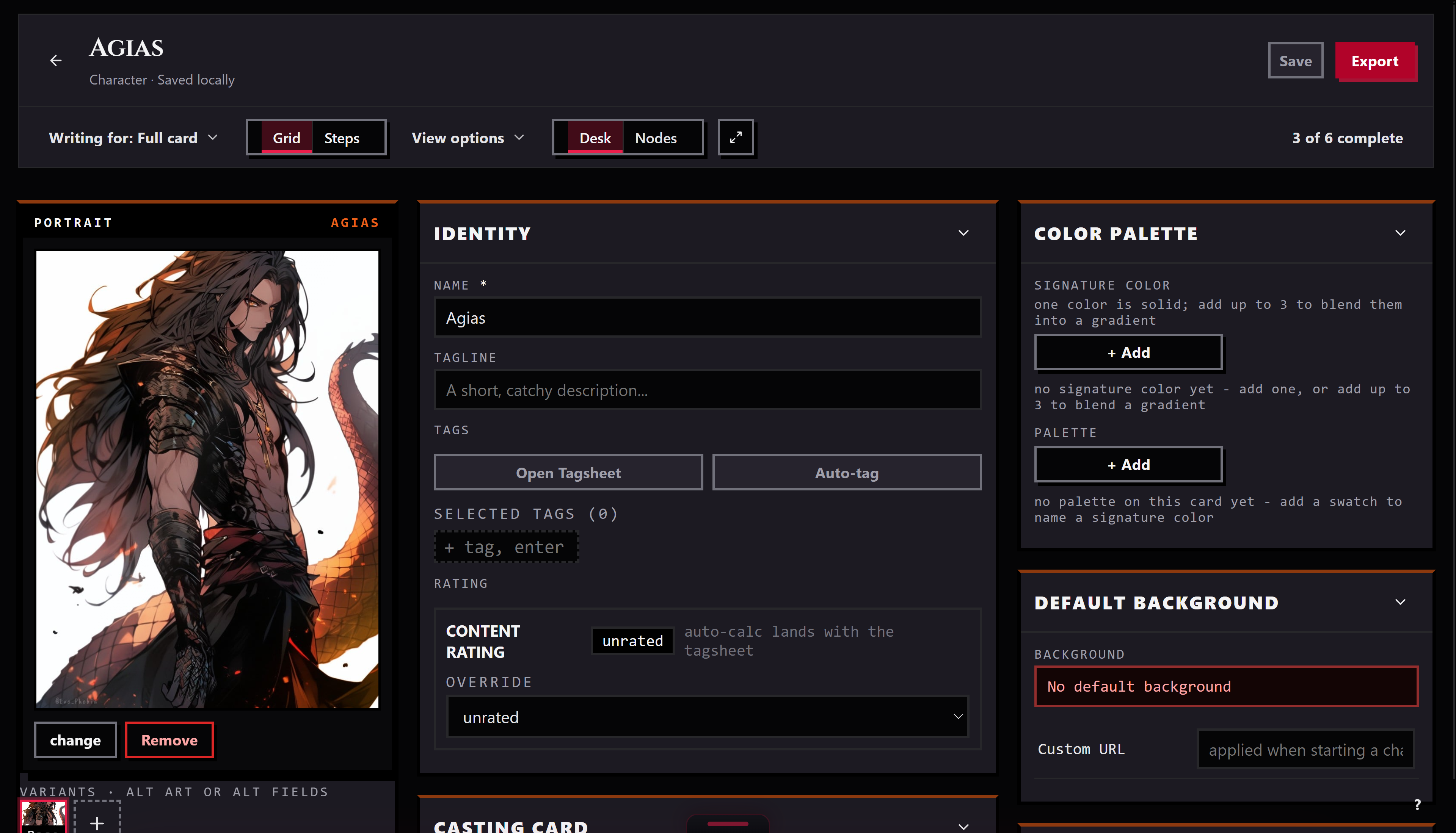
Send a piece to the Workbench and it opens in the editor made for its kind: character, lorebook, persona, regex set, preset, or pack.
Characters, two ways Lorebooks Personas Regex sets See the Workbench up close →
Now showing
Starring The Workbench
Directed by You
Playing in The app and your browser
Scene II · keep
Everything you own, on the shelves.
Starring The Library
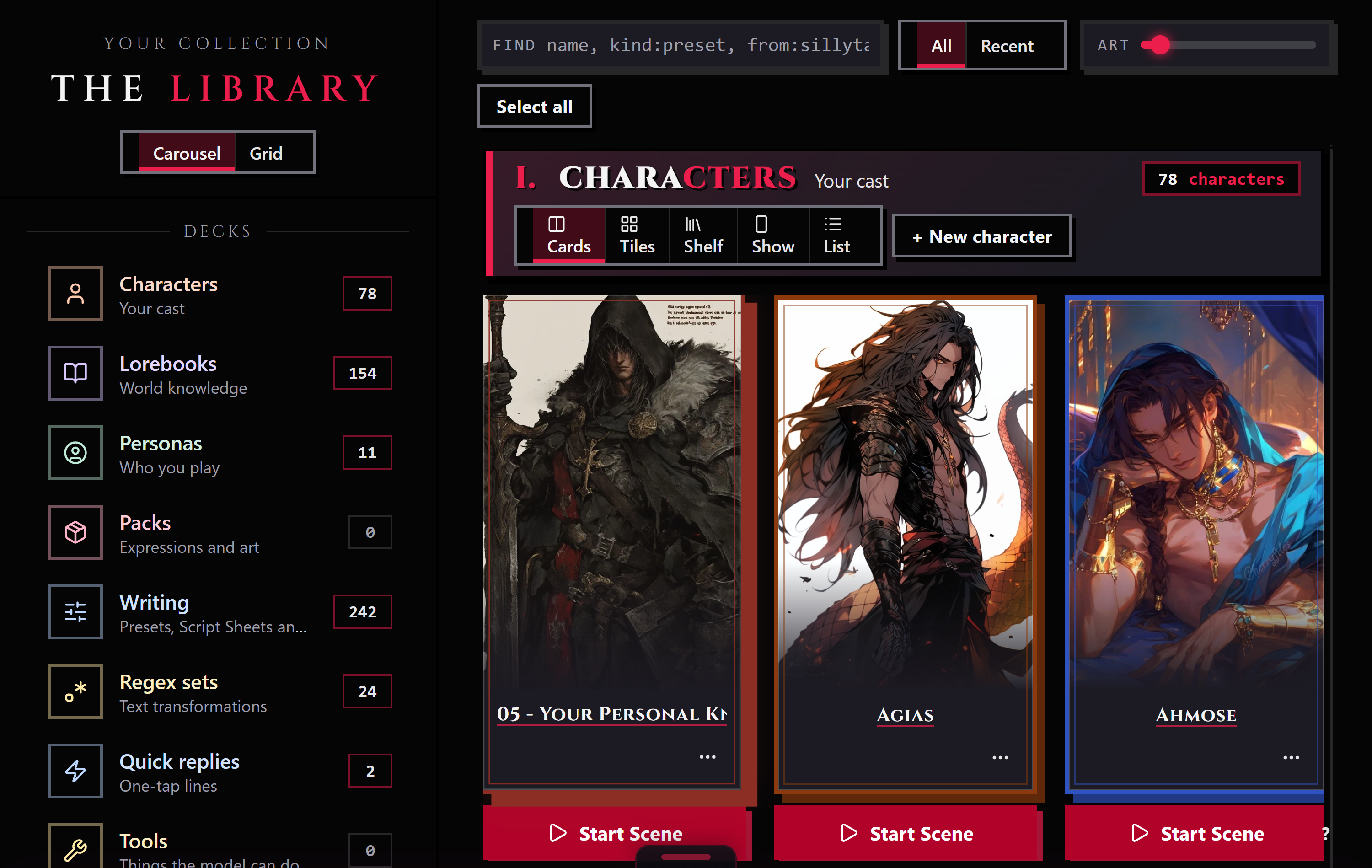
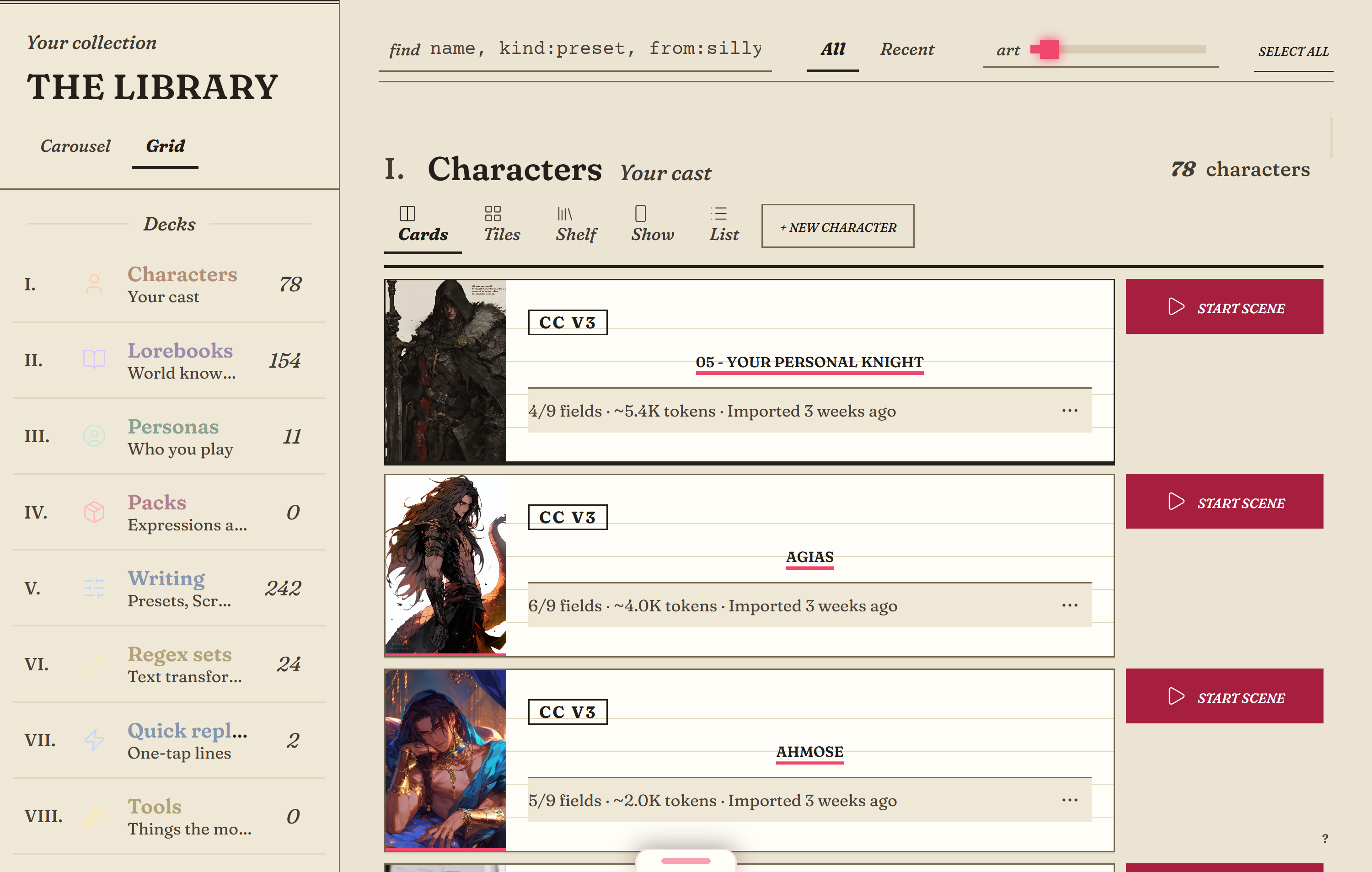
The Library is the browse room: decks for each kind of piece, with live counts, in rows or a grid. It is also the door your files come in through.
Drop a file in A receipt before anything is saved Plain reasons Send anywhere See the Library up close →
Now showing
Starring The Library
Directed by You
Playing in The app and your browser
Scene III · share
Send your work anywhere.
Starring The Press
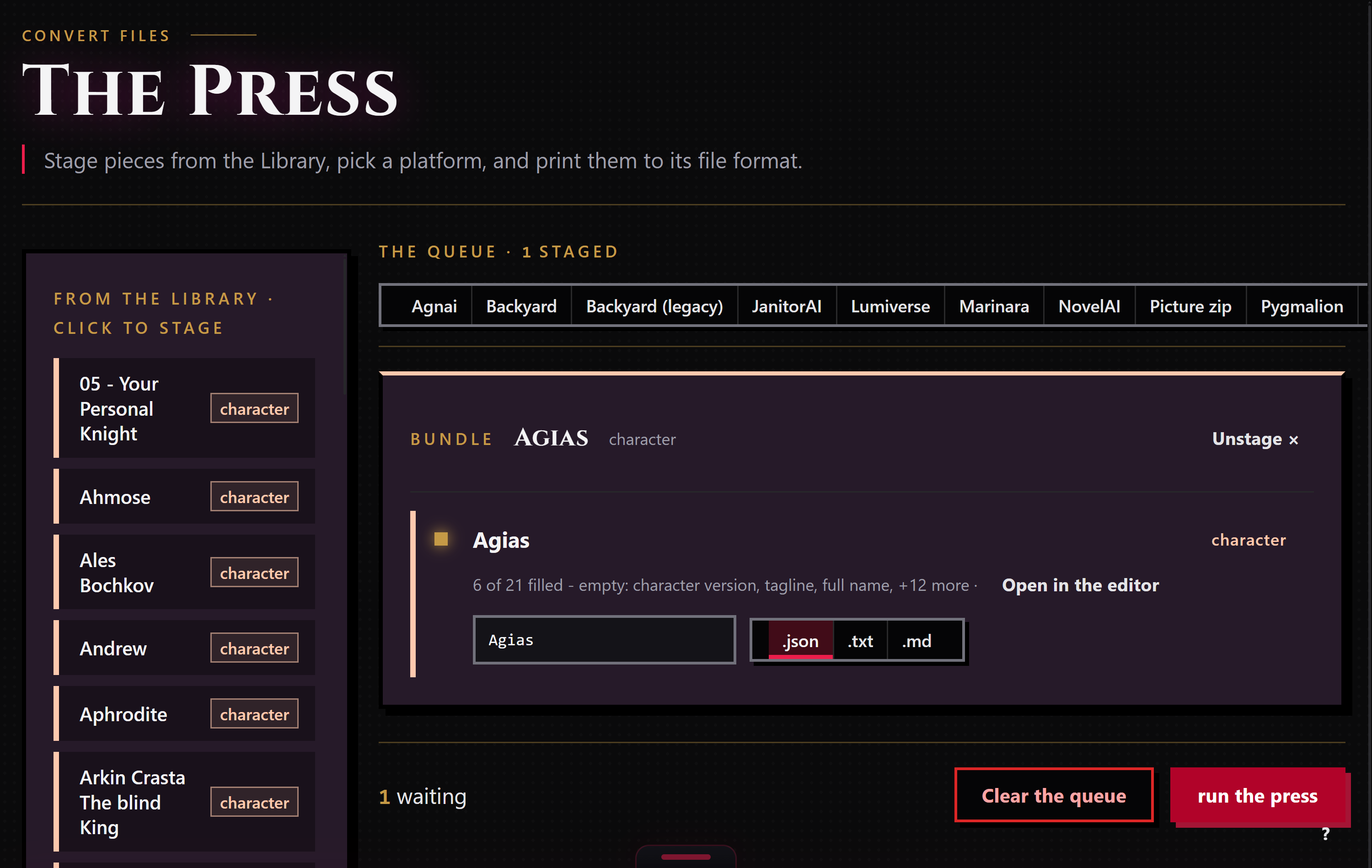
Stage the pieces you want to send, pick the app they are going to, and the Press makes the files.
Stage, pick, print Nothing left behind Honest about what drops Knows the neighbors See the Press up close →
Now showing
Starring The Press
Directed by You
Playing in The app and your browser
Scene IV · direct
Plan the scene. Write it. Keep the thread.
Starring Promptbooks
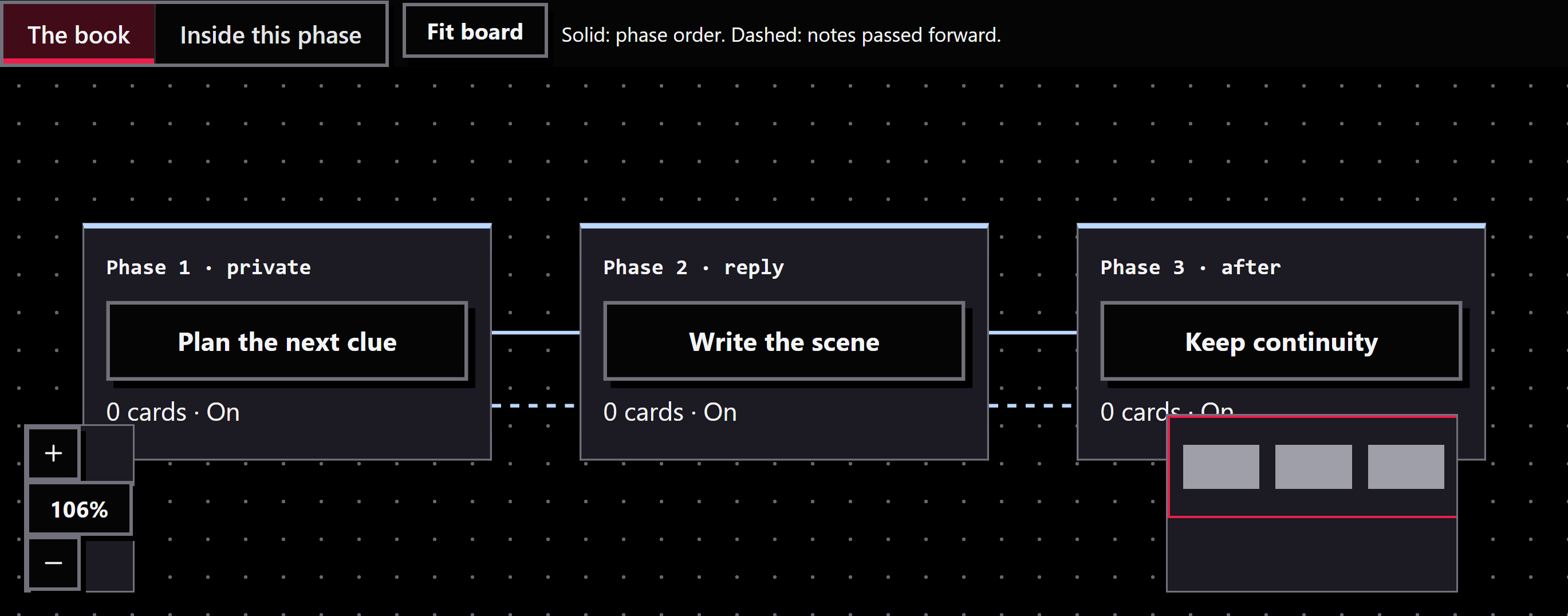
A Promptbook organizes instructions into phases. The Midnight Express example reads the situation, plans clues and character intentions, checks the alibi, writes the scene, then records continuity and open threads.
Reusable phases Two board levels Check before playing See Promptbooks up close →
Now showing
Starring Promptbooks
Directed by You
Playing in The app and your browser
Scene V · dress
Make the studio feel like yours.
Starring Themes
Change the studio's palette, typography and supported layouts. These are real captures of the same library in RoleCall, Theater and Paper.
Four bundled looks Your accent Motion choices See Themes up close →
Now showing
Starring Themes
Directed by You
Playing in The app and your browser
Scene VI · help
A helper that sees what you see.
Starring The Agent
The Agent is a conversation with your own AI model that knows which screen you are on and can use Bunzai's real tools.
It sees the screen Real tools, not advice Nothing changes without you Your model See the Agent up close →
Now showing
THE AGENT
The Agent This lorebook has three entries with no keywords. Want me to suggest some?
Add keywords to 3 entries? Yes or Not now
Starring The Agent
Directed by You
Playing in The app
Scene VII · terminal
Your studio, in a terminal.
Starring Kit
Kit is the terminal companion: the same library and the same tools, as a conversation you type into. It is a separate, optional download.
Same studio Where it runs Optional See Kit up close →
Now showing
KIT
Kit Your library has 12 characters and 3 lorebooks. What are we making?
Write persona "Night Shift"? Yes or Not now
Starring Kit
Directed by You
Playing in The app
Scene VIII · play
Play a scene with any character.
Starring Scenes
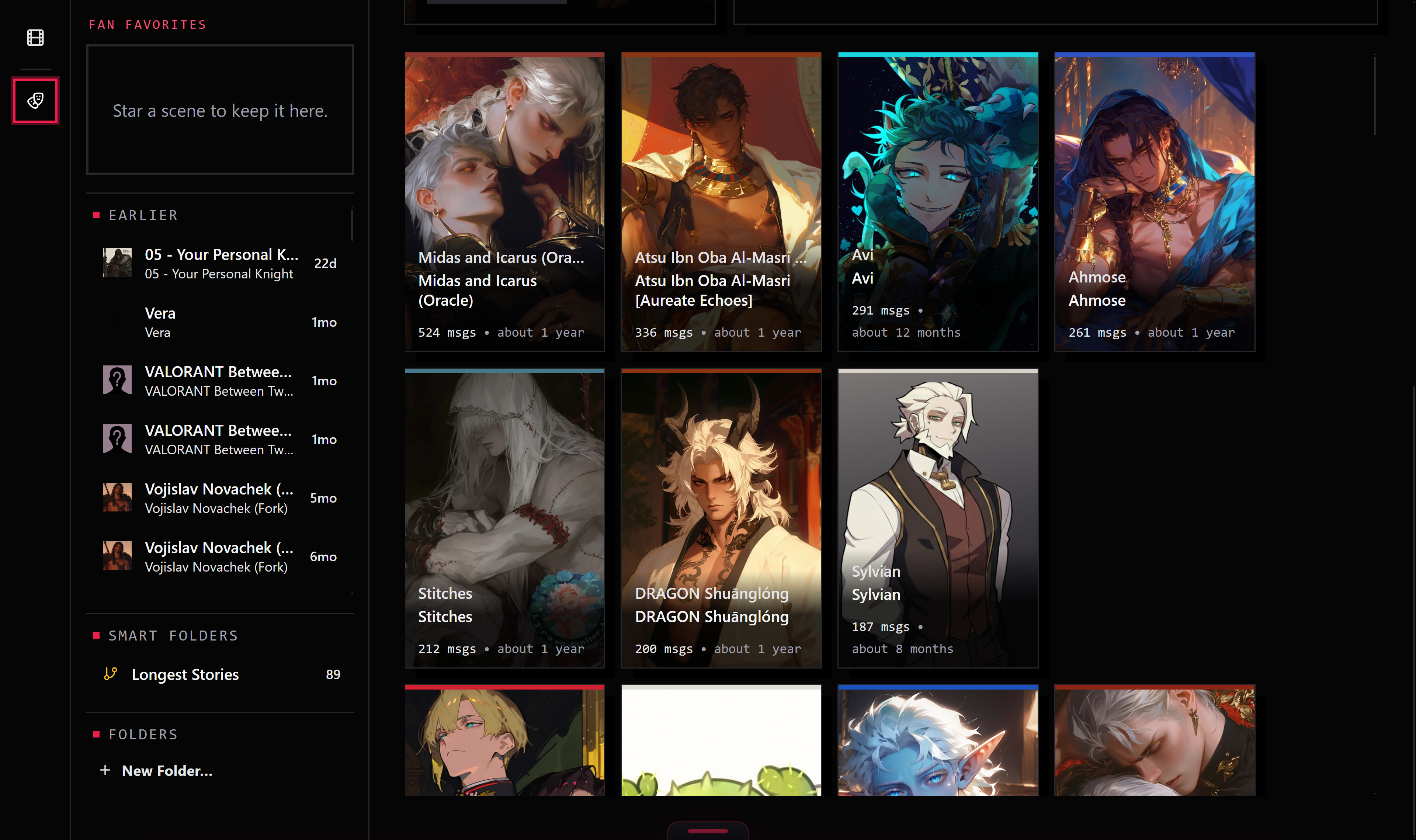
Start a scene from a character in your Library and talk. Replies come from your own AI connection and write themselves in as they arrive.
Start from any card Takes and branches Stop, regenerate, flip Your model, your preset See Scenes up close →
Now showing
Starring Scenes
Directed by You
Playing in The app
‹ Scene I The Workbench Scene II The Library Scene III The Press Scene IV Promptbooks Scene V Themes Scene VI The Agent Scene VII Kit Scene VIII Scenes
›
In your hands
Your library.Your choices. 01 Bring what you’ve made. Import supported characters, lorebooks, personas, and presets. Check what a conversion keeps before you export.
Import your first piece ↗ 02 Choose who you write with. Connect your own AI provider. Provider access and usage costs are separate from Bunzai.
Set up the studio ↗ 03 Keep your work close. Your library is stored locally and encrypted at rest. Selected content is sent to the AI provider and connected services you use.
How local storage works Key protection depends on your setup. Some fallback configurations store a key file beside the library. Bunzai has no account or telemetry service.
Your first scene
A place to begin. Set up the studio, bring in a character, and choose a connection.
The curtain is yours
Make a scene. Free and open source. A studio for your characters, worlds, and stories.
Look around in your browser ↗ The browser editor supports import, editing, and export. Playing scenes needs the installed app.
ADMIT ONE · ANY NIGHT
Bunzai
Free and open source. No account needed.
One app download for your computer. Your studio stays local.
Choose your download