Docs / User / Agnai
Agnai
Agnai, also known as Agnaistic, is a browser and self-hosted app for AI roleplay, and it stores a character in its own JSON shape, not the SillyTavern shape most other apps copy: persona is a structured map instead of one flat description block. This page shows you how to bring Agnai files into Bunzai, edit them, and send them back out, whether to Agnai again or to another app.

What Bunzai reads
Bunzai reads the two file types Agnai gives you:
- Characters, as a
.jsonfile. Agnai does not embed a card inside a picture the way SillyTavern does, so there is no.pngoption to bring in. - Memory books (Agnai's name for a lorebook or worldbook), as a
.jsonfile, either standalone or embedded inside a character.
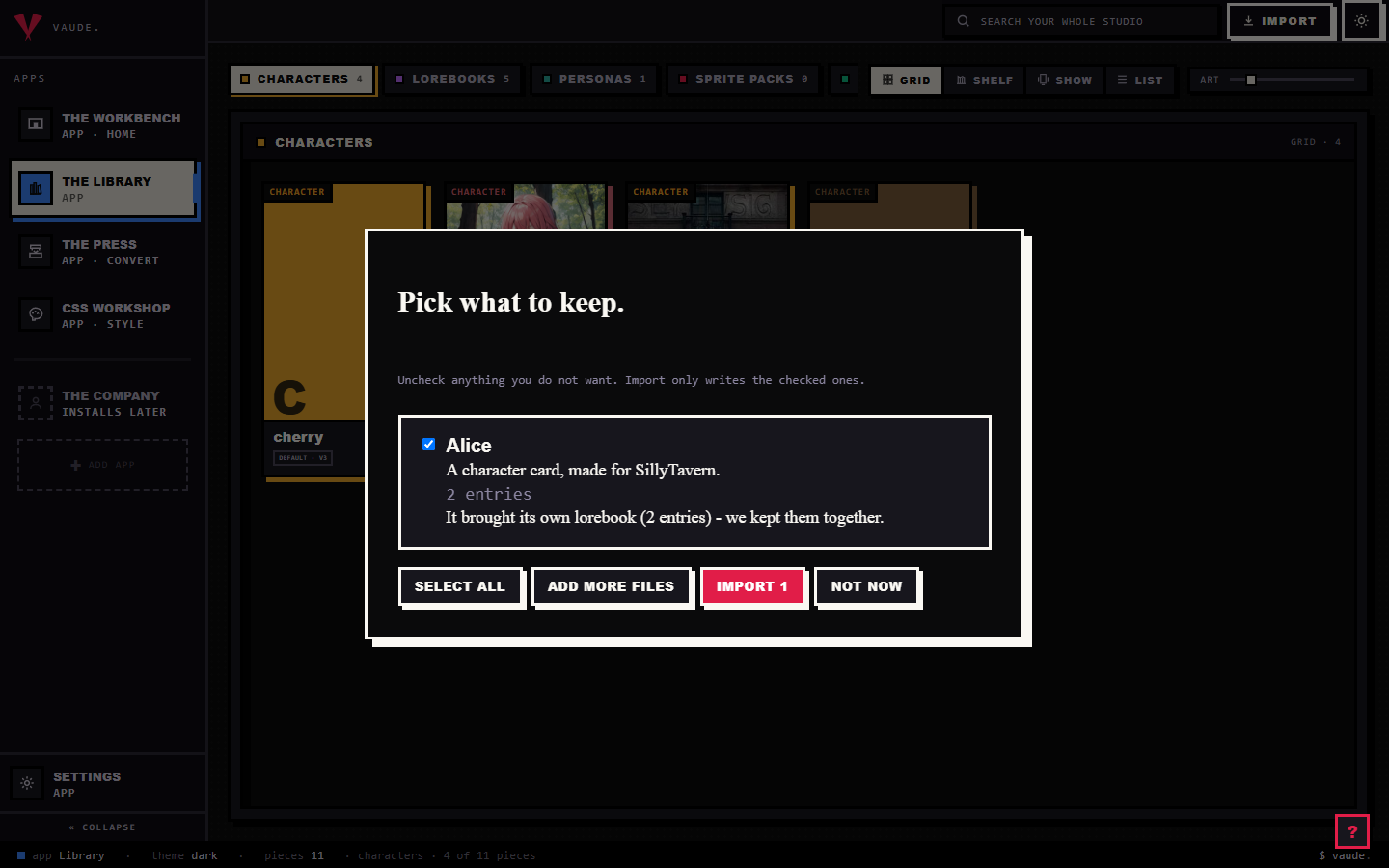
To bring one in, drag the file onto the Library and drop it anywhere in the room. Bunzai reads the file and shows you a plain-words receipt: what it read, and what it kept. It recognizes an Agnai character by its own shape, a structured persona plus a greeting, not by the file's name. For the full walkthrough, see the importing guide.
What comes across cleanly
Importing loses nothing. Bunzai keeps a complete copy of the original card, then lifts the parts you actually work with into fields you can see and edit directly:
- Name, description, and a version label
- A culture or language, which drives the default voice and phrasing on platforms that use it
- Personality, either as plain text or as Agnai's own structured persona map, using W++, boostyle, square-bracket, or a plain attribute list; plain text uses the personality field, the rest use the structured persona map
- Scenario, and a separate appearance field kept apart from description so it can drive image generation
- First message and any alternate greetings
- Example messages
- System prompt, post-history instructions, and an assistant prefill
- One depth injection: you can add more on the Workbench, but only the first travels to Agnai, since Agnai has a single fixed slot for it
- Creator name and tags
- A voice selection, when the character has one
- Either an avatar image or a layered sprite recipe (part keys, colors, and gender), depending on which visual mode the card uses
- Image-generation prompt affixes: prefix, suffix, negative, and template text
- A structured response schema, when the character defines one; this is carried as data only and never run inside Bunzai
- An embedded memory book, with its entries, keywords, and placement
The card's picture, when it has one, is kept too, and Bunzai shows it as the piece's portrait. So after an import, everything that was in the card is still there: the fields above are ready to edit, and the rest is held safely in the background.
What changes when you convert to another app
This is the honest part, and it is simple once you see the rule.
A same-app round-trip keeps everything you did not touch, byte for byte: import an Agnai character, edit it, export it back to Agnai, and every field you left alone comes back exactly as it was, because Bunzai kept the original card and only re-writes the fields you changed. There is one exception, and it is worth knowing. Agnai's persona is always rebuilt fresh from what you see in the editor rather than reused from the original card, so on the rare character whose plain-text personality was saved as more than one separate block, only the first survives, even on a round trip straight back to Agnai.
Converting to a different app is where things drop. Only the shared character crosses over. Agnai's own extras, the settings that only mean something inside Agnai, are left behind on purpose.
| Content | Back to Agnai | To another app |
|---|---|---|
| Core character: name, description, personality, scenario, appearance, greetings, example messages, system prompt, post-history, prefill, creator, tags | Kept | Comes across, as far as that app can hold it |
| Structured persona map, voice, sprite recipe, image-generation affixes, structured response schema | Kept | Comes across if that app has the same kind of slot |
| Embedded memory book | Kept | Comes across if that app has memory books or worldbooks |
| Depth injection | Kept, one slot | Comes across if that app has a matching slot |
| Sampler and provider settings inside the image config, account id, saved layout | Kept | Dropped |
"Another app" here means a genuinely different app such as SillyTavern, RoleCall, Risu, Backyard, or Pygmalion. The drop is deliberate: Bunzai never blind-copies one app's private settings into another app's file. Agnai also has no regex-key feature at all, so there is nothing to carry there either way, unlike a SillyTavern card that carries its own scripts.
Editing on the Workbench
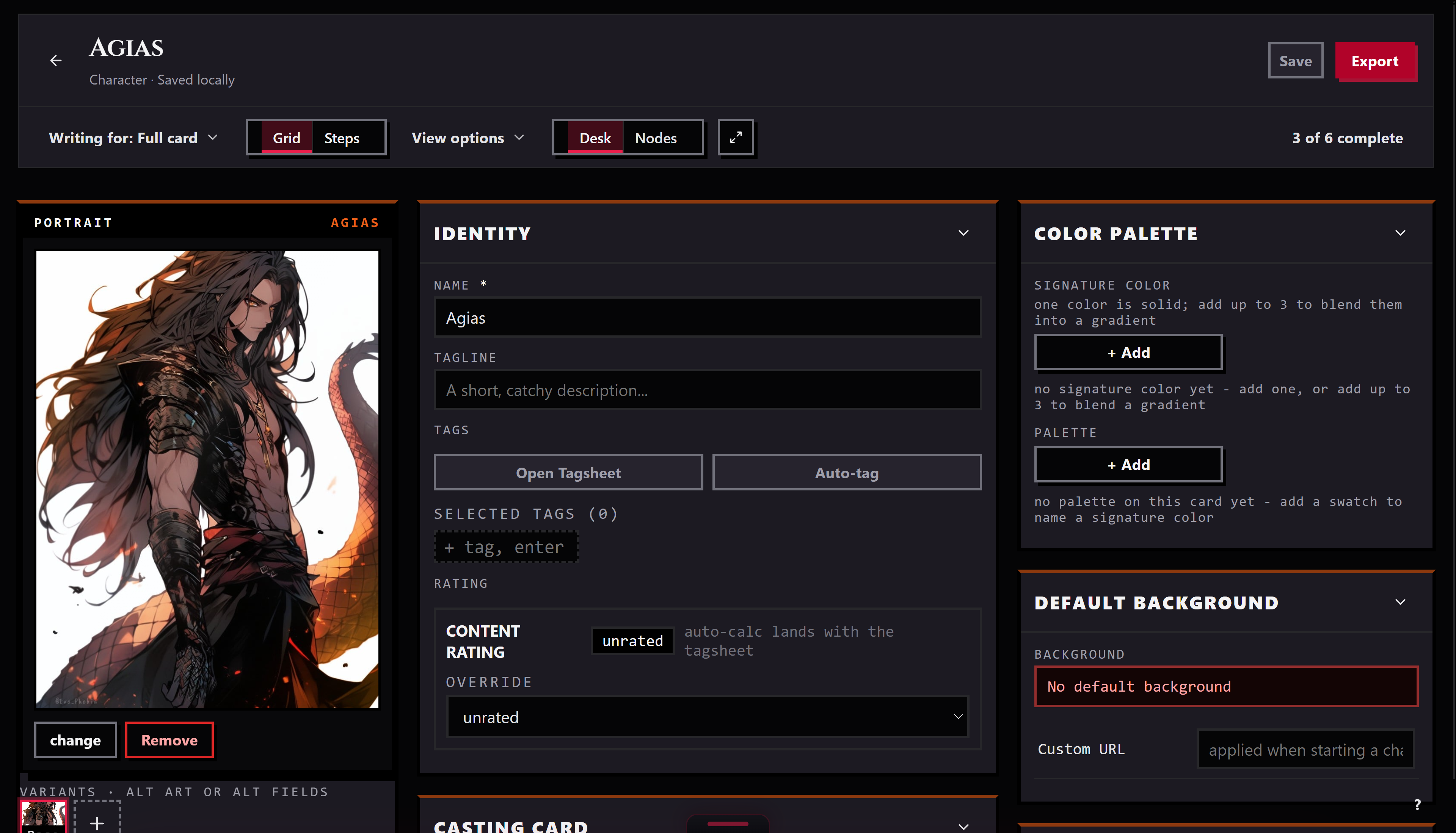
Send a piece from the Library to the Workbench and it opens as a tab. There you can edit the name, description, personality, scenario, first message, and example messages the same as any character. Agnai's own extras get their own controls too: the structured persona map, voice, sprite recipe, image-generation affixes, and response schema each have a dedicated editor, so you are never stuck hand-editing raw JSON to change them. When you save, Bunzai writes the whole card back, so the parts you did not touch stay exactly as they were.
Exporting back out
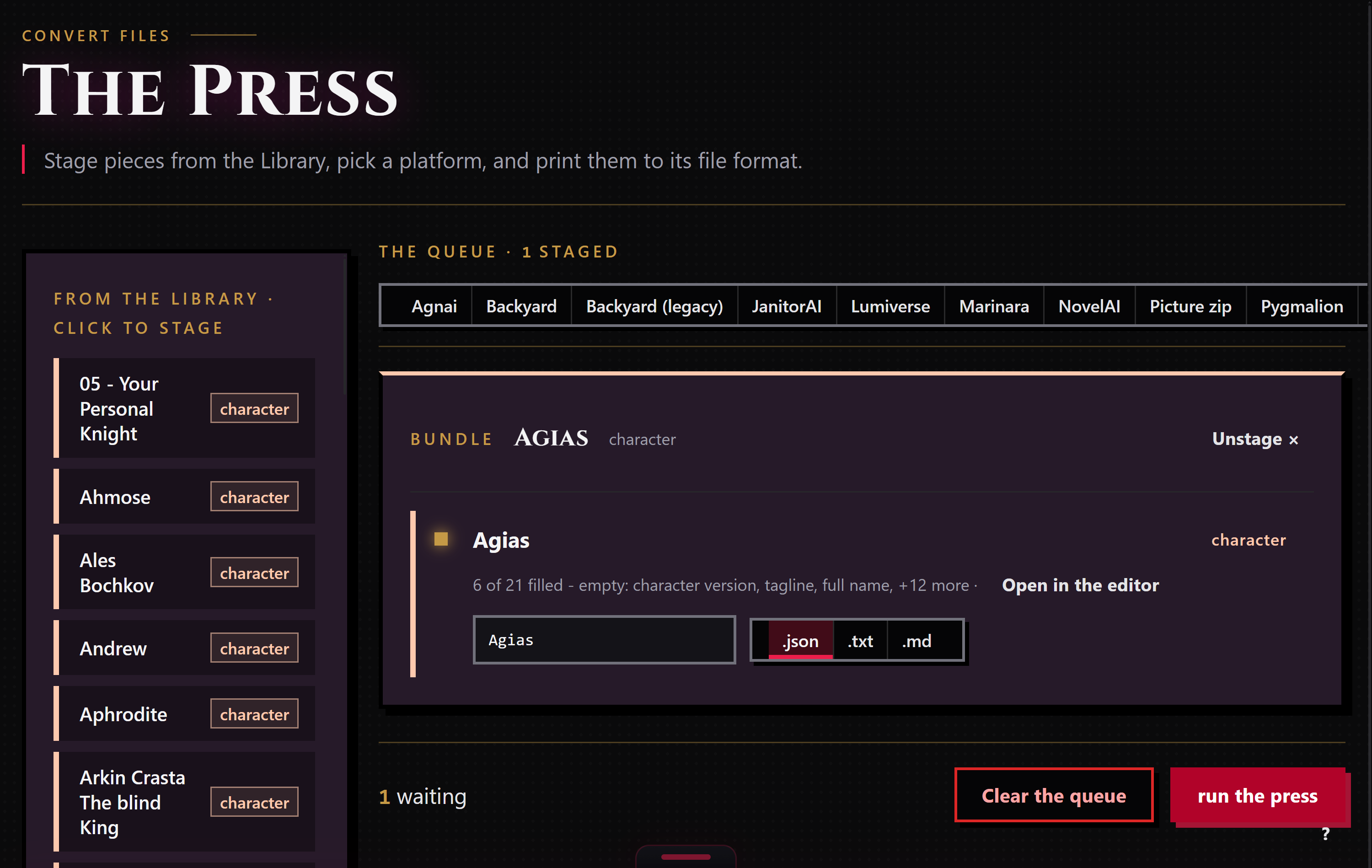
When a piece is ready to leave, stage it for the Press: right-click it and choose "Stage for the Press," or drop it in from the Press's own rail. The Press works only the pieces you staged, and each run exports to one target format that you pick.
Bunzai writes Agnai cards as .json, the same shape Agnai itself exports. If a piece carries an embedded memory book, it rides along with the character automatically. You can also ask for a plain .txt or .md copy when you just want to read the text. Choosing a different app as the target applies the drop story above.
Common questions
- Will my card come back exactly as it was? Yes, if you export it back to Agnai, with one exception: a plain-text persona saved as more than one entry collapses to its first entry, because Agnai's persona is always rebuilt from the editor rather than reused untouched.
- Does Agnai give me a
.pngcard? No. Agnai's own native export is JSON only, so Bunzai never offers a picture for it, only the file. - Where did my structured persona go? It is still there. A W++, boostyle, or attribute-map persona decodes into the structured persona editor on the Workbench; a plain-text persona lands in the ordinary personality field instead.
- What about my sprite, voice, and image-generation settings? They are kept in full on a same-app round-trip and are editable on the Workbench through their own controls. Converting to another app carries them only if that app has the same kind of slot.
- Does Agnai have regex scripts like SillyTavern? No. Agnai has no regex-key feature, so there is nothing to carry either way.
- My memory book was inside the card. Is it still there? Yes. Bunzai pulls the embedded memory book out so you can edit it on its own, and puts it back when you export to an app that supports memory books or worldbooks.