Docs / User / RisuAI
RisuAI
RisuAI is a roleplay client whose own export bundles a character into one .charx file: a zip archive
holding card.json (the fields Bunzai reads) plus an assets folder of images, and sometimes amodule.risum package of regex, trigger, and lorebook rows bundled separately from the card. This page
shows you how to bring one of those files into Bunzai, edit it, and send it back out, whether to RisuAI
again or to another app.

What Bunzai reads
Bunzai reads the file types RisuAI gives you:
- Cards, as a
.charx(a zip archive holdingcard.jsonplus anassetsfolder of images, and
sometimes a bundledmodule.risumpackage). - Lorebooks, exported from Risu as a plain
.json(or.lorebook) file. - Regex scripts, either a
.risummodule that carries rule rows, or a bare.jsonlist of rows.
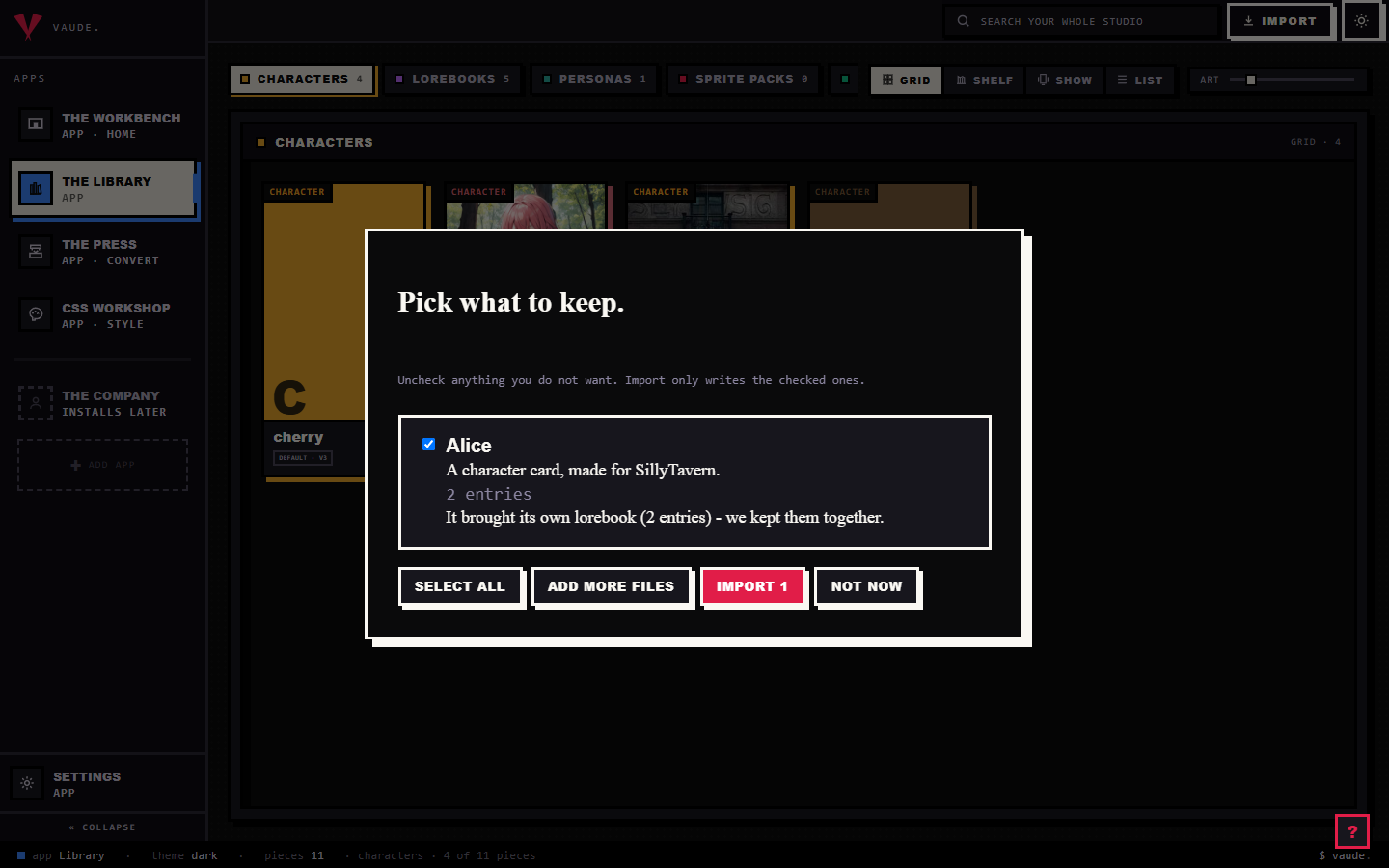
To bring one in, drag the file onto the Library and drop it anywhere in the room. Bunzai reads the file
and shows you a plain-words receipt: what it read, and what it kept. It recognizes a .charx by its zip
signature and the card.json entry inside it, not by the file's name, so a renamed export still imports
fine. For the full walkthrough, see the importing guide.
What comes across cleanly
Importing loses nothing. Bunzai keeps a complete copy of the original card, then lifts the parts you
actually work with into fields you can see and edit directly:
- Name, nickname, and description
- Personality and scenario
- First message, alternate greetings, and group-only greetings
- Example messages
- System prompt, post-history instructions, and Risu's own additional text
- Creator, creator notes (including per-language notes), source, and license
- Tags, plus the created and updated dates
- Risu's own display settings: view screen mode, large portrait, inlay view screen, utility bot, lore plus
- Bias words, the phrase and weight nudges Risu feeds into generation
- Image-gen prompt hints, when the card carries any
- Voice config, when the card uses Risu's own VITS voice
- Regex scripts, trigger scripts, virtual script, background HTML/CSS, default variables, and module
toggles, as data you can read and edit - Prebuilt-asset generation config: Risu's asset command, exclude, and style settings
- The privileged flag, meaning the card requested Risu's privileged low-level script API; a warning
marker, never something Bunzai executes - An embedded lorebook, with entries, keywords, and placement
None of the script rows run. Bunzai parses, edits, and writes them back as plain data; it never
evaluates them.
Every image in the card rides along too, portrait included, but as bytes in the background: Risu points at
its images with its own internal references rather than a plain web link, so an imported Risu card does
not always show a live picture preview on the Workbench. The bytes are still there, and they still export
back out untouched. If the card bundles a separate .risum package, that whole package is kept as well;
see Editing on the Workbench for what that means for you.
What changes when you convert to another app
This is the honest part, and it is simple once you see the rule.
A same-app round-trip keeps everything you can see and touch, though not necessarily the same bytes (more
on that below). Import a RisuAI card, edit it, and export it back to RisuAI, and every field, asset, and
script row comes back.
Converting to a different app is where things drop. Only the shared character crosses over. RisuAI's
private extras, the scripts and settings that only mean something inside RisuAI, are left behind on
purpose.
| Content | Back to RisuAI | To another app |
|---|---|---|
| Core character: name, nickname, description, personality, scenario, greetings, example messages, system prompt, post-history instructions, creator, creator notes, source, license, tags | Kept | Comes across, as far as that app can hold it |
| Embedded lorebook | Kept | Comes across if that app has a lorebook |
| Bias words, image-gen prompt hints, voice config | Kept | Comes across if that app has the same setting |
| Risu's display settings, additional text, and the whole behavior surface: regex scripts, trigger scripts, virtual script, background HTML/CSS, default variables, module toggles, prebuilt-asset config, the privileged flag | Kept | Dropped |
The bundled .risum package, internal ids, and other Risu-only bookkeeping |
Kept | Dropped |
"Another app" here means a genuinely different app such as SillyTavern, Agnai, Backyard, RoleCall, or
Pygmalion. The drop is deliberate: Bunzai never blind-copies one app's private settings or scripts into
another app's file. Your regex and trigger scripts stay where they were written, which is where they
actually work anyway. And where the other app simply has fewer slots than Risu, whatever it cannot hold is
dropped on its side, not yours.
Editing on the Workbench
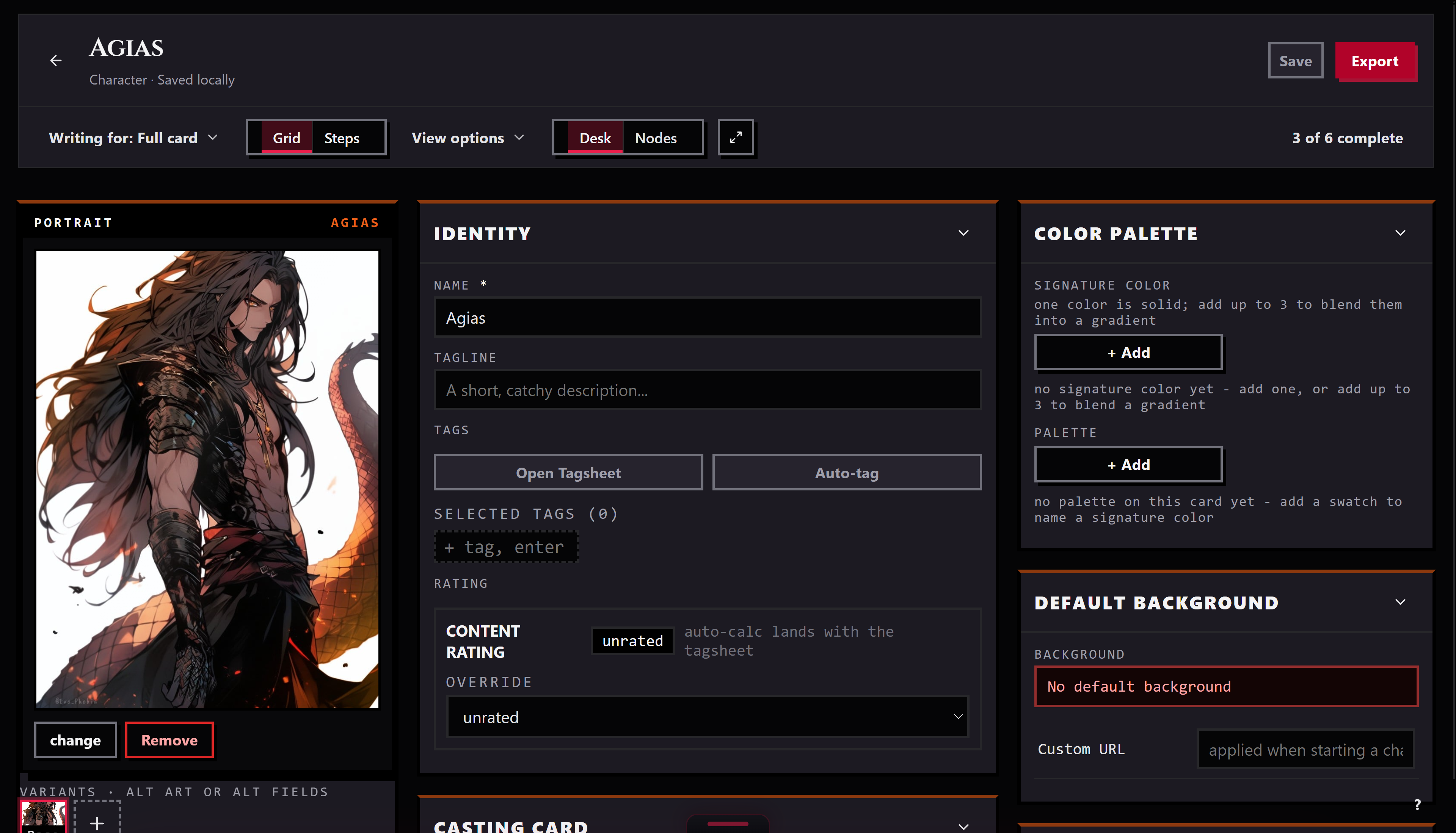
Send a piece from the Library to the Workbench and it opens as a tab. There you can edit the name,
description, personality, scenario, first message, and example messages, the same fields as any card. When
you save, Bunzai writes the whole card back, so the parts you did not touch stay exactly as they were.
A card that carries Risu's own scripts gets a second tab next to Fields: Workshop. That is where the
regex rows, trigger rows, virtual script, background HTML/CSS, and default variables live, laid out as
data you read and edit, never as something that runs. If the card also bundles a separate .risum
package, the Workshop shows what is inside it too, but treat that part as look, don't touch, for now:
editing the package and exporting is currently blocked rather than risk writing back a broken one. Leave
it as it came in and it exports whole.
Exporting back out
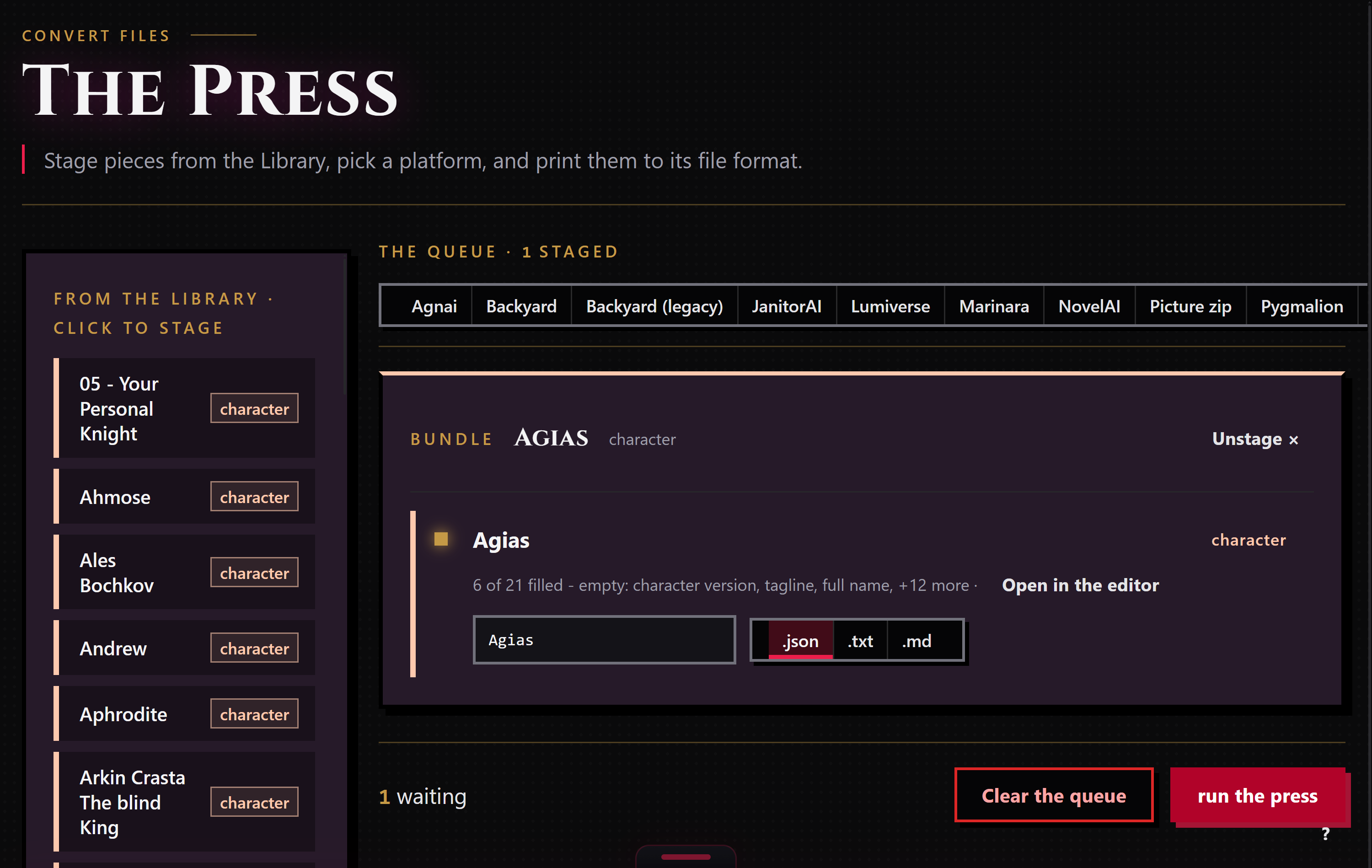
When a piece is ready to leave, stage it for the Press: right-click it and choose "Stage for the Press,"
or drop it in from the Press's own rail. The Press works only the pieces you staged, and each run exports
to one target format that you pick.
Bunzai writes RisuAI cards as .charx, the same zip container Risu itself exports, so it loads back
into Risu the same way any of its own exports would. If a piece carries a linked lorebook, it rides along,
written into the card's own character_book slot, the same slot Risu reads on import. You can also ask
for a plain .txt or .md copy when you just want to read the text. Choosing a different app as the
target applies the drop story above.
One direction still has a real gap: if a piece's picture came from a different app, exporting it to
RisuAI right now leaves the .charx with no images attached. Media only survives a same-app Risu round
trip, where the original archive's files ride along untouched; a picture picked up from elsewhere has
nowhere to land in a Risu export yet.
Common questions
- Will my card come back exactly as it was? In every way that matters, yes, if you export it back to
RisuAI: every field, every asset, every script row survives. The exact bytes of the.charxare not
guaranteed to match, though. Bunzai rebuilds the archive and re-prints the JSON on every export, so
spacing, compression, and entry order can shift even when nothing you can see has changed. - I imported a
.charx. Do I get a.charxback? Yes. RisuAI's own container is what Bunzai writes
back out, so nothing changes about the file type. - Does my character's picture come with it? The bytes do, always, on a same-app round trip. Whether it
shows up as a live preview on the Workbench depends on how Risu pointed at the image inside its own
archive; some Risu cards will not preview even though the art is safely carried along and exports back
out untouched. - What about my regex and trigger scripts? They stay on the RisuAI card and are not copied into
another app's file, because Bunzai does not move one app's scripts into another. On the Workbench they
show up as data you can read and edit, never as something that runs. - My card carries a
.risumpackage. Can I edit it? You can open it and look, on the Workbench's
Workshop tab. Leave it alone and it exports whole. Edit it, and export is currently blocked rather than
risk writing back a broken package; if you need to change the package itself, do that in RisuAI for now. - My worldbook was inside the card. Is it still there? Yes. Bunzai pulls the embedded lorebook out
so you can edit it on its own, and puts it back into the card'scharacter_bookslot when you export to
an app that reads one.