Docs / User / Backyard
Backyard
Backyard.ai (formerly Faraday.dev) is a local app for AI roleplay. Over its life it has shipped two different on-disk shapes for a character card, and Bunzai reads and writes both. This page shows you how to bring either one in, edit it, and send it back out, whether to Backyard again or to another app.

What Bunzai reads
Bunzai reads both shapes Backyard has shipped:
- The older flat JSON export, from the app's Faraday-era versions: a plain
.jsonfile with keys likeaiName,aiPersona, andcustomDialogue. - The modern
.byafarchive: a zip that bundles the character, one or more scenarios, and any images together.
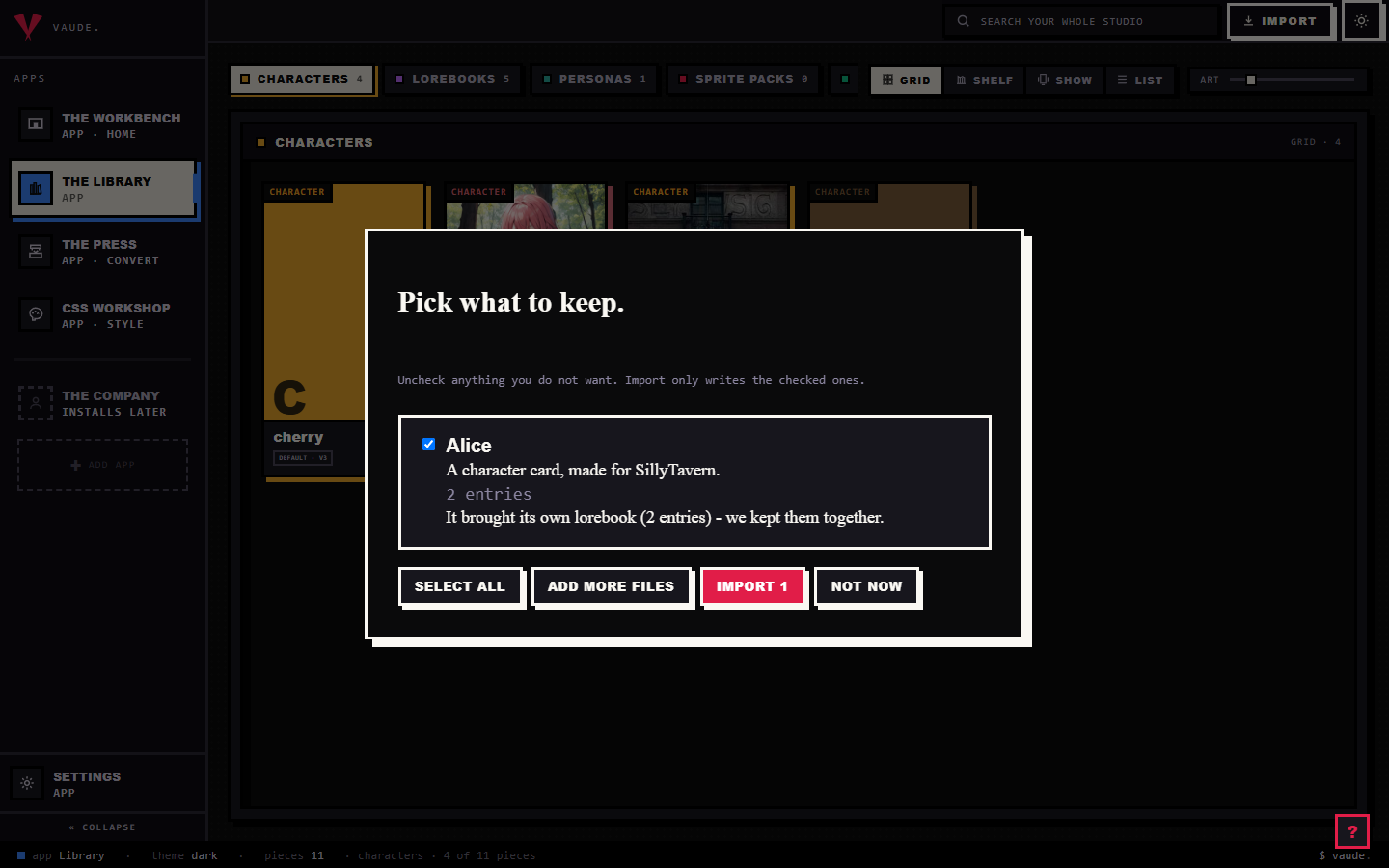
These are not two names for the same thing. Each carries its own vocabulary, so Bunzai reads and writes them with two separate adapters. To bring either one in, drag the file onto the Library and drop it anywhere in the room. Bunzai looks inside the file to tell them apart, a .byaf by its zip signature and manifest shape, the flat JSON by its Backyard-only keys, so renaming a file does not confuse it. For the full walkthrough, see the importing guide.
What comes across cleanly
Importing loses nothing. Bunzai keeps a complete copy of whichever file you dropped in, then lifts the parts you actually work with into fields you can see and edit directly.
From the older flat JSON, Bunzai lifts:
- Display name, and a separate nickname when the card's short
{{char}}name differs from it - Description and personality, as two separate fields
- Scenario
- System prompt
- First message
- Example messages
- Creator and tags
- A version tag, when the card carries one
From a .byaf archive, Bunzai lifts:
- Display name, and a separate nickname when it differs
- A single description field (the archive has no separate personality field of its own)
- Scenario, from the primary scenario's narrative
- System prompt
- First message, plus any alternate greetings
- Example messages
- Whichever image is labeled avatar (or the first image, if none is) as the piece's portrait, and every other image as a gallery asset
- The scenario's background image
- Creator, source URL, and the dates the card was created and last updated
- A content rating:
.byafonly stores a plain "is this NSFW" switch, so Bunzai reads it asexplicitorall-ages. The middlematuretier can never come from a Backyard import.
One thing carries across both shapes. Backyard's own placeholders are single braces, {character} and {user}, not SillyTavern's double braces. On the flat JSON shape, Bunzai rewrites these to {{char}} and {{user}} on the way in. The .byaf archive's text comes across exactly as written; Bunzai does not rewrite placeholders there.
What changes when you convert to another app
This is the honest part, and for Backyard it has one extra wrinkle: there are two Backyard shapes, and moving a card between them counts as a conversion too, not a same-app round trip.
A same-shape round-trip keeps everything. Import a flat JSON card, edit it, and export it back to the flat JSON shape, and you get everything back, because Bunzai kept the original file and only rewrites the fields you changed. The same is true importing and exporting a .byaf archive.
Moving a card between the two Backyard shapes only carries the fields listed above, the same as converting to a genuinely different app. Personality is the clearest case: the flat JSON shape keeps it as its own field, but .byaf has only a single persona field, so a personality written on a flat JSON card does not travel when you export that card to .byaf.
| Content | Back to the same shape | Anywhere else, including the other Backyard shape |
|---|---|---|
| Name, nickname, description, scenario, system prompt, first message, example messages | Kept | Comes across, as far as that app can hold it |
| Personality (flat JSON only) | Kept, on a flat JSON round-trip | Comes across only if the target has a personality field of its own; .byaf does not |
Alternate greetings, portrait, gallery images, background, content rating, source URL, created and updated dates (.byaf only) |
Kept, on a .byaf round-trip |
Comes across if the target has the same slot; flat JSON has none of these |
| Creator, tags | Kept | Comes across if that app has the same field |
| Lore items, sampler and generation settings, prompt template, grammar, chat transcript, and anything else Backyard's file carries that Bunzai has no canonical slot for | Kept | Dropped |
"Another app" here means a genuinely different app such as SillyTavern, RoleCall, Agnai, or Risu, and it also means the other Backyard shape, which follows the same rule. The drop is deliberate: Bunzai never blind-copies one shape's private extras into a file that has no room for them. A .byaf archive's lore items, for example, stay attached to the twin Bunzai keeps, but they are not yet lifted into an editable lorebook, so they do not cross into another app's lore fields even though the words are still sitting in the file Bunzai kept.
Editing on the Workbench
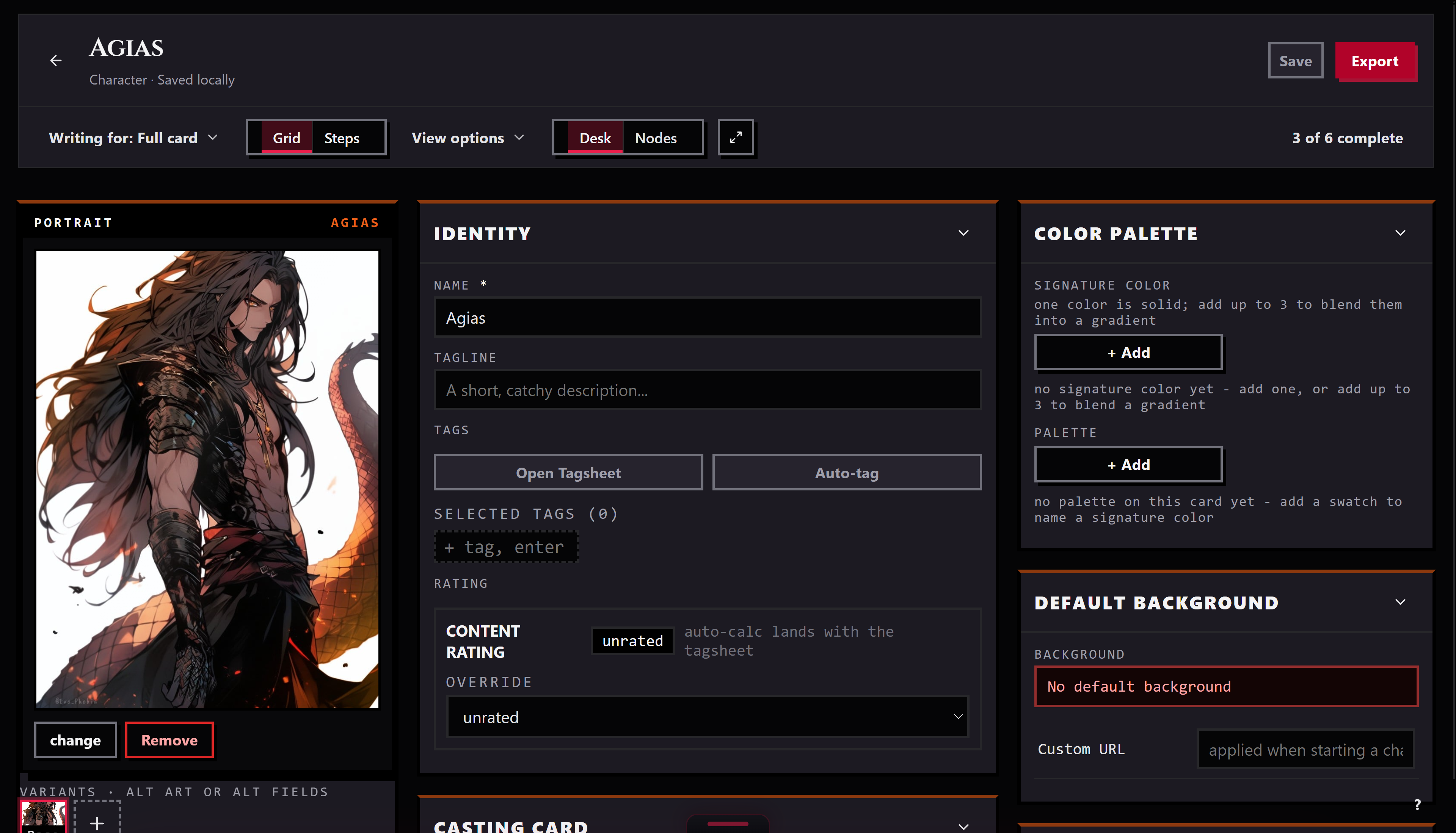
Send a piece from the Library to the Workbench and it opens as a tab. There you can edit the name, nickname, description, personality, scenario, first message and any alternate greetings, and example messages. When you save, Bunzai writes the whole card back, so the parts you did not touch stay exactly as they were.
Exporting back out
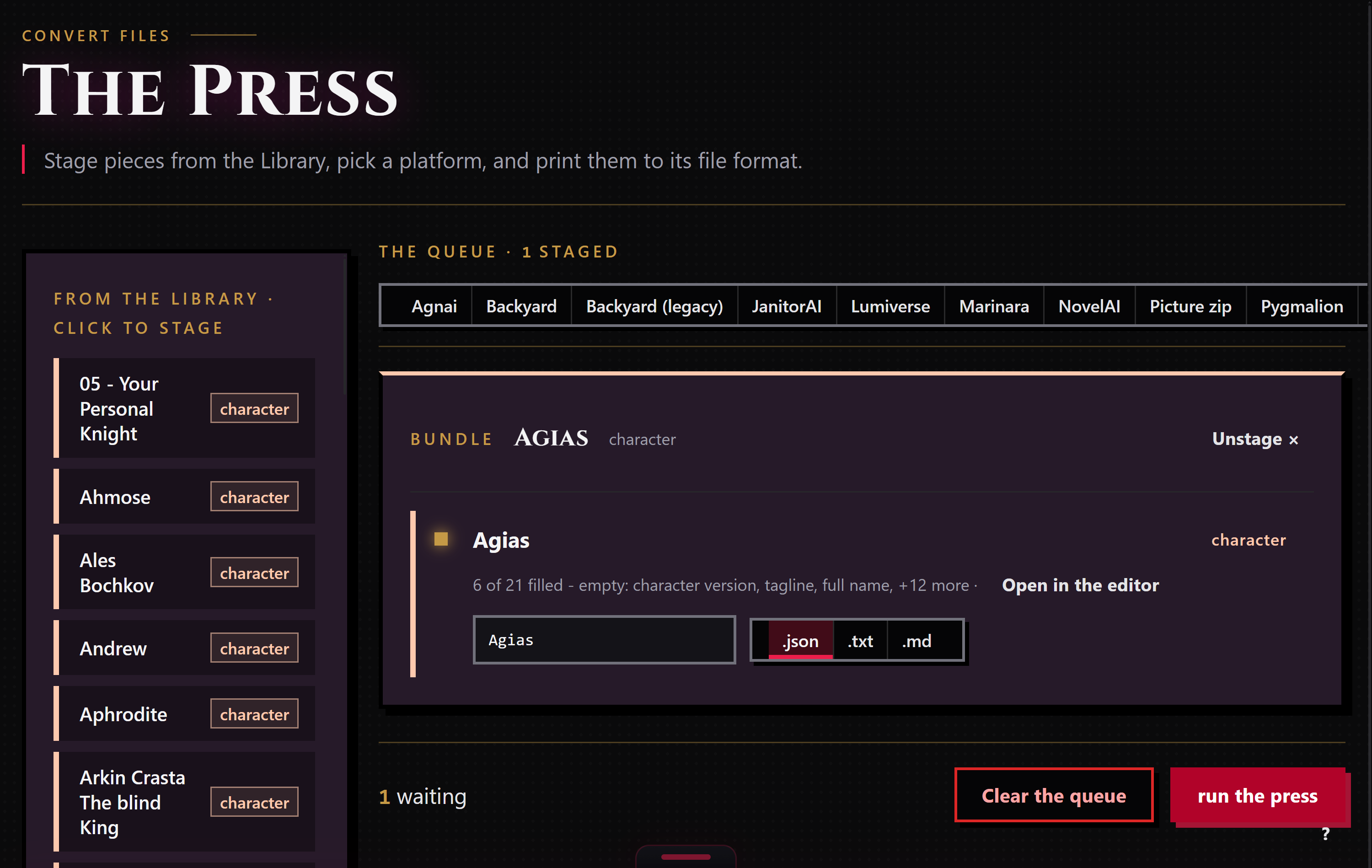
When a piece is ready to leave, stage it for the Press: right-click it and choose "Stage for the Press," or drop it in from the Press's own rail. The Press works only the pieces you staged, and each run exports to one target format that you pick. Backyard shows up as two separate targets: "Backyard" for the modern .byaf archive, and "Backyard (legacy)" for the flat JSON shape.
Bunzai writes .byaf as a zip archive and the legacy shape as .json. Pick whichever target matches where the card is going; picking the other one applies the drop story above, the same as picking a different app entirely. You can also ask for a plain .txt or .md copy when you just want to read the text.
Common questions
- Will my card come back exactly as it was? Yes, if you export it back to the exact shape you imported: flat JSON to flat JSON, or
.byafto.byaf. Switching shapes, even though both are Backyard, follows the same crossing rule as exporting to a different app. - I imported a
.byafarchive. Do I get a.byafback? Only if you pick "Backyard" as the export target. Picking "Backyard (legacy)" instead writes flat JSON, and drops whatever the flat shape has no room for: alternate greetings, images, background, and content rating. - Does my character's picture come with it? On a
.byafround-trip, yes, the portrait and every gallery image ride along. The flat JSON shape has no image archive, so pictures do not travel through it either way. - What about my card's
{character}and{user}placeholders? On the flat JSON shape, Bunzai converts them to{{char}}and{{user}}when it reads the card, and only re-converts a field back to single braces if you actually edited it; a field you leave alone re-emits exactly as it arrived. The.byafarchive's text is never touched this way. - My archive had lore items. Are they still there? They stay attached to the
.byaffile Bunzai kept, so a.byafround-trip keeps them. Bunzai does not yet lift them into an editable lorebook, so they will not cross into another app's lore fields.