Docs / User / Chub
Chub
Chub, also called CharacterHub, is a website for browsing and hosting character cards and lorebooks, not a chat client of its own. A card downloaded from Chub is a SillyTavern-shaped Character Card v2/v3 with one extra block riding inside it, extensions.chub, carrying the site's own bits: a chat background, custom CSS, a bound preset, and links to related lorebooks. This page shows you how to bring a Chub card or lorebook into Bunzai, edit it, and send it back out, whether to Chub again, to SillyTavern, or to another app.

What Bunzai reads
Bunzai reads the file types Chub gives you:
- Character cards, as a
.png(the picture is the card, with the character text tucked inside the image) or as a plain.jsonfile. Bunzai does not treat Chub as its own wire format: it recognizes the SillyTavern shape underneath and keeps theextensions.chubblock that rides along inside it. - Lorebooks, as a
.jsonfile, either embedded in a card the normal way or downloaded on its own from Chub's lorebook shelf. A standalone download comes shaped as a barecharacter_book, an array of entries, not the keyed object map SillyTavern's own worldbook file uses. Bunzai recognizes that shape too.
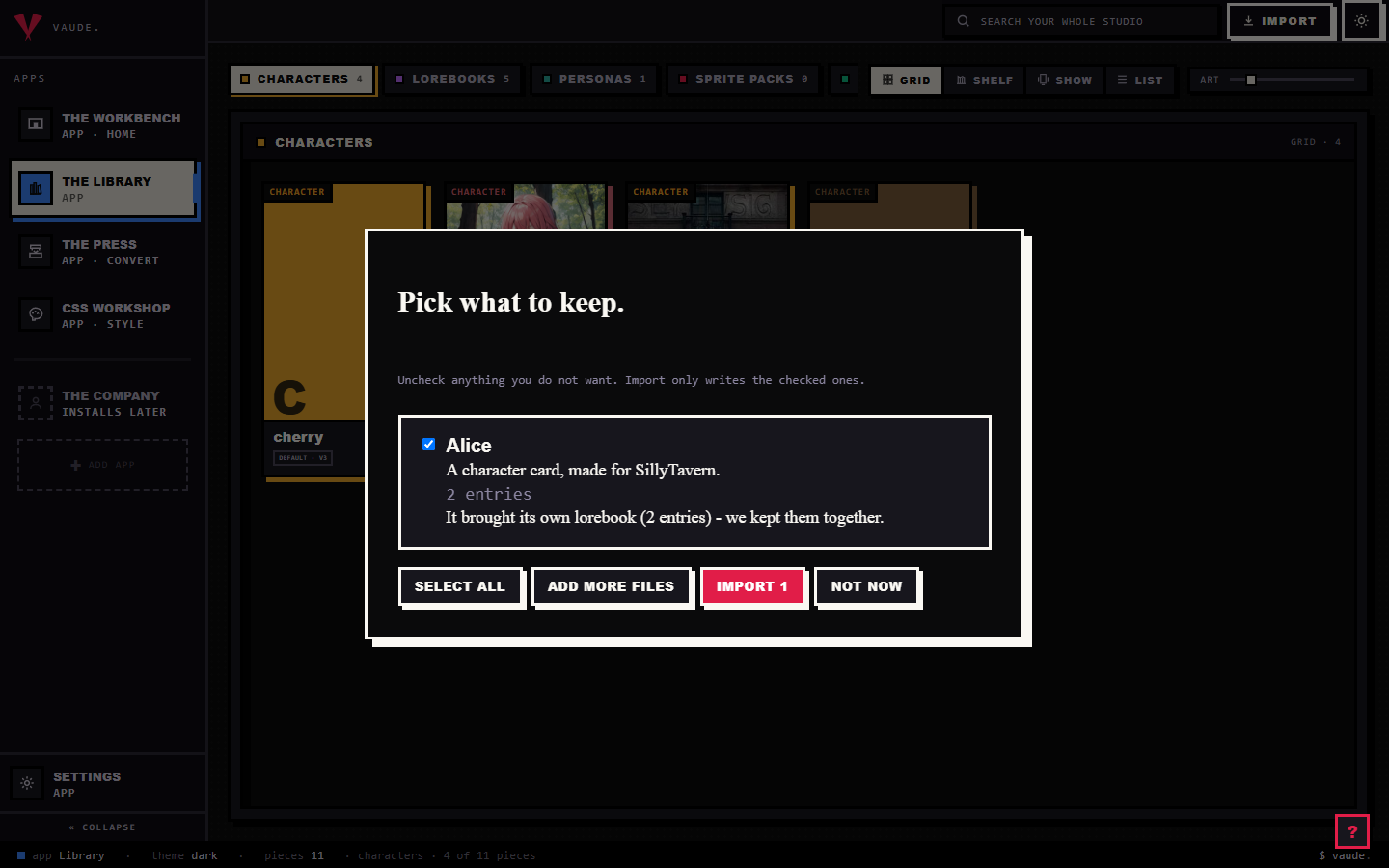
To bring one in, drag the file onto the Library and drop it anywhere in the room. Bunzai reads the file and shows you a plain-words receipt: what it read, and what it kept, calling the origin Chub (CharacterHub) when that extras block gives it away. It recognizes a card by looking inside the file, not by the name, so renaming a card does not confuse it. For the full walkthrough, see the importing guide.
What comes across cleanly
Bunzai keeps the original card data alongside the fields you can edit directly:
- Name, description, personality, and scenario
- First message and any alternate greetings
- Example messages
- System prompt and post-history instructions
- Creator name, creator notes, and tags
- An embedded worldbook, with its entries, keywords, and placement, when the card carries one
- Expression images, when the card's
expressionsoralt_expressionsblock has any (most Chub downloads leave this empty) - The Chub extras: a chat background image, custom CSS for Chub's own card view, a bound preset reference, and links to any related lorebooks
The card's picture is kept too, and Bunzai shows it as the piece's portrait. The Chub extras show up as their own cards on the Workbench, marked with a small Chub tag, next to the card's regular fields. A few more Chub bits ride along but are not shown as an editable field anywhere yet: the card's Chub id and full path, and references to any Stages the card links to (Chub's own scenario builder; Bunzai never runs one, it only keeps the reference). Bunzai keeps all of that safe on the twin, so a round trip back to Chub or SillyTavern still has it.
A standalone lorebook downloaded from Chub is a plainer case: its entries, keywords, and placement come across into fields you can edit, the same as any lorebook.
What changes when you convert to another app
This is the honest part, and it is simple once you see the rule, with one wrinkle Chub adds.
A same-format export preserves the original card's field values and applies your edits. It does not promise an identical file: JSON formatting and the output container can change. Check the export receipt for unsupported fields when choosing a different format.
Converting to a different app is where things drop. Only the shared character crosses over. Chub's private extras, the bits that only mean something on the site, are left behind on purpose.
| Content | Back to Chub | To another app |
|---|---|---|
| Core character: name, description, personality, scenario, greetings, example messages, system prompt, notes, tags | Kept | Comes across, as far as that app can hold it |
| Embedded worldbook | Kept | Comes across if that app has worldbooks |
| Expression images | Kept | Comes across if that app has a place for extra art |
| Chat background image, custom CSS, bound preset, related-lorebook links | Kept | Dropped |
| Chub id, full path, Stages references | Kept | Dropped |
SillyTavern gets the identical result: a Chub card and a SillyTavern card are the same file shape, so exporting to either keeps everything in the table above. "Another app" means a genuinely different one, such as SillyTavern with no Chub bag attached, Agnai, Backyard, RoleCall, Risu, or Pygmalion. The drop is deliberate: Bunzai never blind-copies one site's private extras into another app's file.
The wrinkle is on the lorebook side. A standalone lorebook you downloaded from Chub has no "back to Chub" option at all, and no twin either: Chub never gave that download a wire format of its own to write back to, only a character_book shape borrowed from the character-card spec. So Bunzai always writes it back out as a plain SillyTavern worldbook (or whatever lorebook format you pick), never a byte-for-byte copy of what you downloaded. Nothing you can see or edit is lost, the entries, keywords, and placement all survive, just not the original wrapper.
Editing on the Workbench
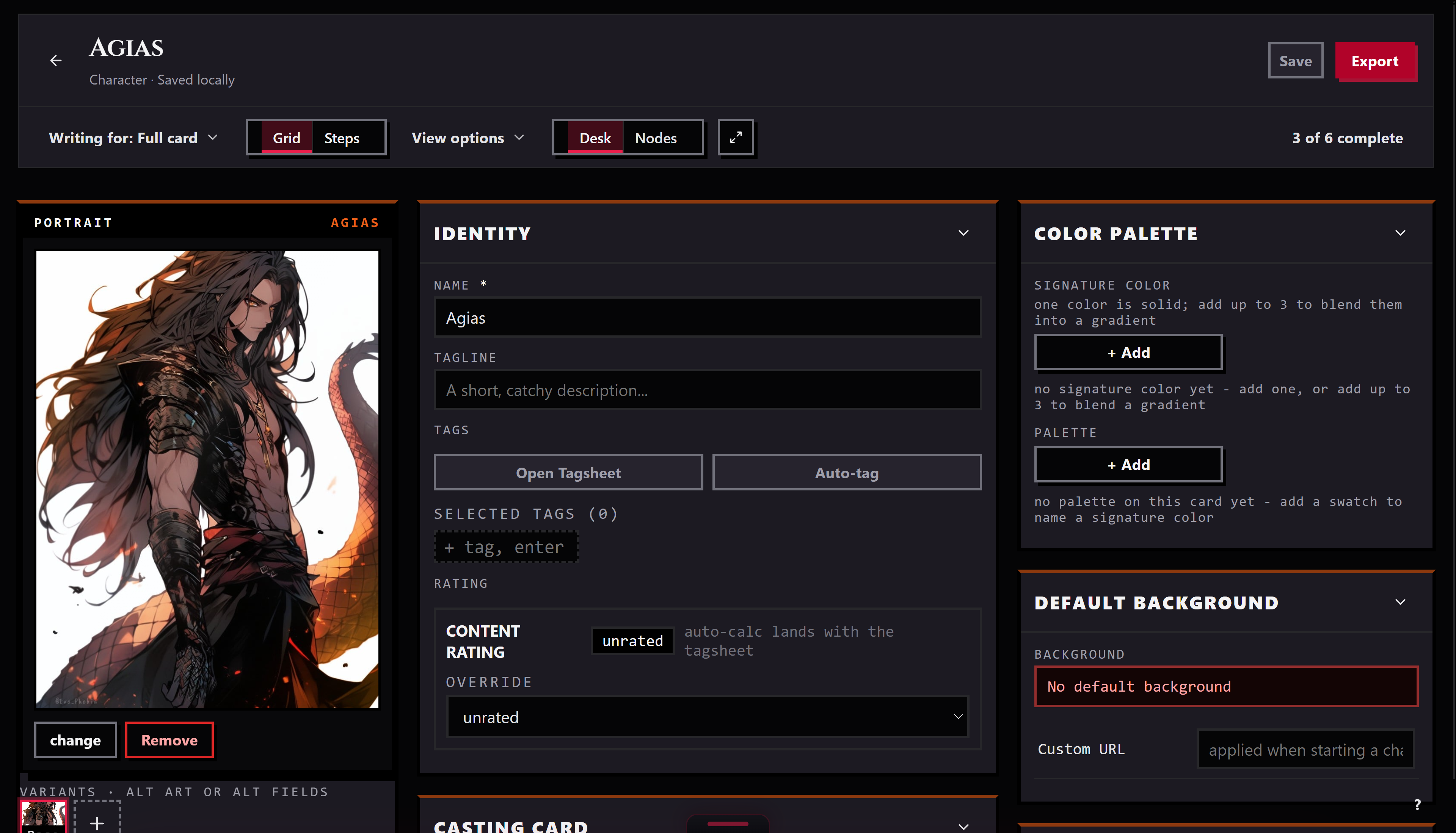
Send a piece from the Library to the Workbench and it opens as a tab. There you can edit the name, description, personality, scenario, first message, and example messages, the same as any card. When you save, Bunzai writes the whole card back, so the parts you did not touch stay exactly as they were.
A card that carries a Chub bag also shows a set of Chub-tagged cards for the chat background, the bound preset, and the related-lorebook links. Custom CSS opens in the CSS Workshop, a sealed preview mocked to Chub's own chat-bubble classes; it is never applied to Bunzai's own interface, only shown as a preview of how it would look on the site.
If you open a lorebook instead, you can set it to write for Chub. That narrows the editor to what Chub's own character_book floor can actually hold: it emphasizes priority and secondary triggers, and limits entry placement to before-character and after-character, since Chub has no depth or example-message slots. Hiding a field this way never deletes it from the piece, it only keeps the editor honest about what will actually reach Chub.
Exporting back out
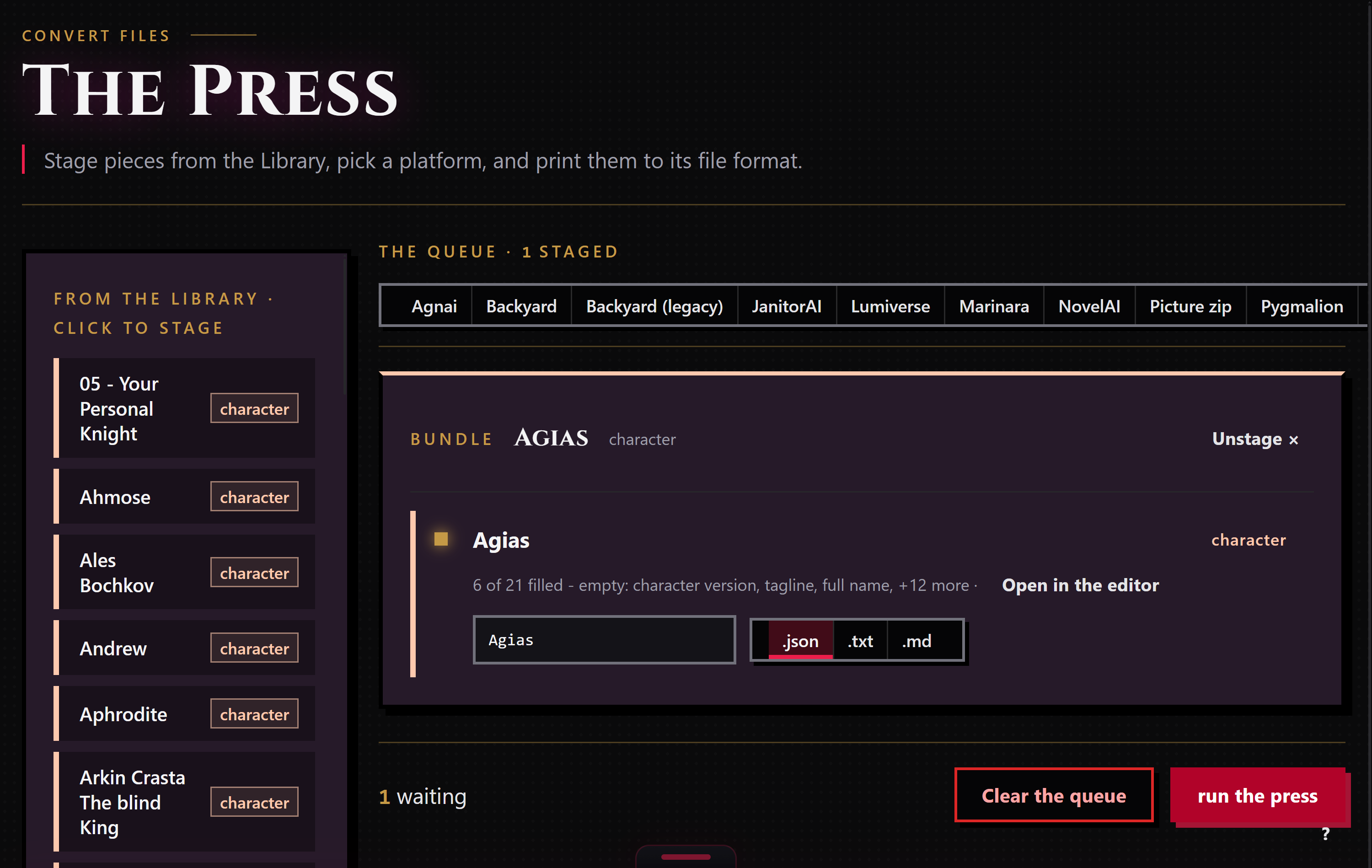
When a piece is ready to leave, stage it for the Press: right-click it and choose "Stage for the Press," or drop it in from the Press's own rail. The Press works only the pieces you staged, and each run exports to one target format that you pick.
Chub is one of the platforms you can pick for a character. Bunzai writes it the exact file SillyTavern would get: a .json CCv3 card, with the Chub bag riding inside extensions.chub if the piece has one. If a piece carries an embedded worldbook, it rides along with the character automatically. You can also ask for a plain .txt or .md copy when you just want to read the text. Choosing a different app as the target applies the drop story above.
Chub is not a target for a lorebook piece; there is no Chub lorebook format for Bunzai to print. Export a standalone lorebook as SillyTavern, or another lorebook-capable app, instead.
Common questions
- Will my card come back exactly as it was? Exporting to Chub preserves the original field values alongside your edits. The output file can use different formatting or a different container, so it need not have identical bytes.
- I imported a
.png. Do I get a.pngback? Bunzai writes cards as.json. Chub and SillyTavern both read a.jsoncard the same as a picture, so it loads fine, you just get a file instead of an image. - Does my character's picture come with it? Bunzai keeps the card art and shows it as the piece's portrait, and it holds onto the original file you imported.
- What about the background image and custom CSS? They stay with the card's Chub extras and are not copied into another app's file, because Bunzai does not move one site's private extras into another.
- My worldbook was inside the card. Is it still there? Yes. Bunzai pulls the embedded worldbook out so you can edit it on its own, and puts it back when you export to an app that supports worldbooks.
- I downloaded a lorebook straight from Chub. Will exporting give me that same file back? No. Chub never built a save-back format for its own lorebook downloads, so there is nothing to hand you back byte-for-byte. Entries, keywords, and placement all come across, but they always write out as a plain SillyTavern worldbook, not the shape you downloaded.